

How to assign a key / hook number to an asset
In short: Open the asset, choose Edit from the ⋮ menu next to its name, pick the number from Key / hook number(s), and save. From then on that hook, drawer or slot is where the asset’s keys live, and its key sets carry the number.
When you’d do this: When something new comes in and you’ve given its keys a hook on the board, or when keys move to a different hook and Keyhive needs to catch up.
Before you start
The number has to exist in Keyhive before you can assign it. If it isn’t there yet, add it first. See How to create a key / hook number, or import a list if you’re setting up a whole board.
It also has to be free. A number attached to another asset won’t appear in the picker. See If the number isn’t in the list.
From the asset
This is the usual way, and the only one that lets you attach several numbers at once.
-
Click Assets in the sidebar and open the asset.
-
Click the ⋮ menu next to its name, and choose Edit.
-
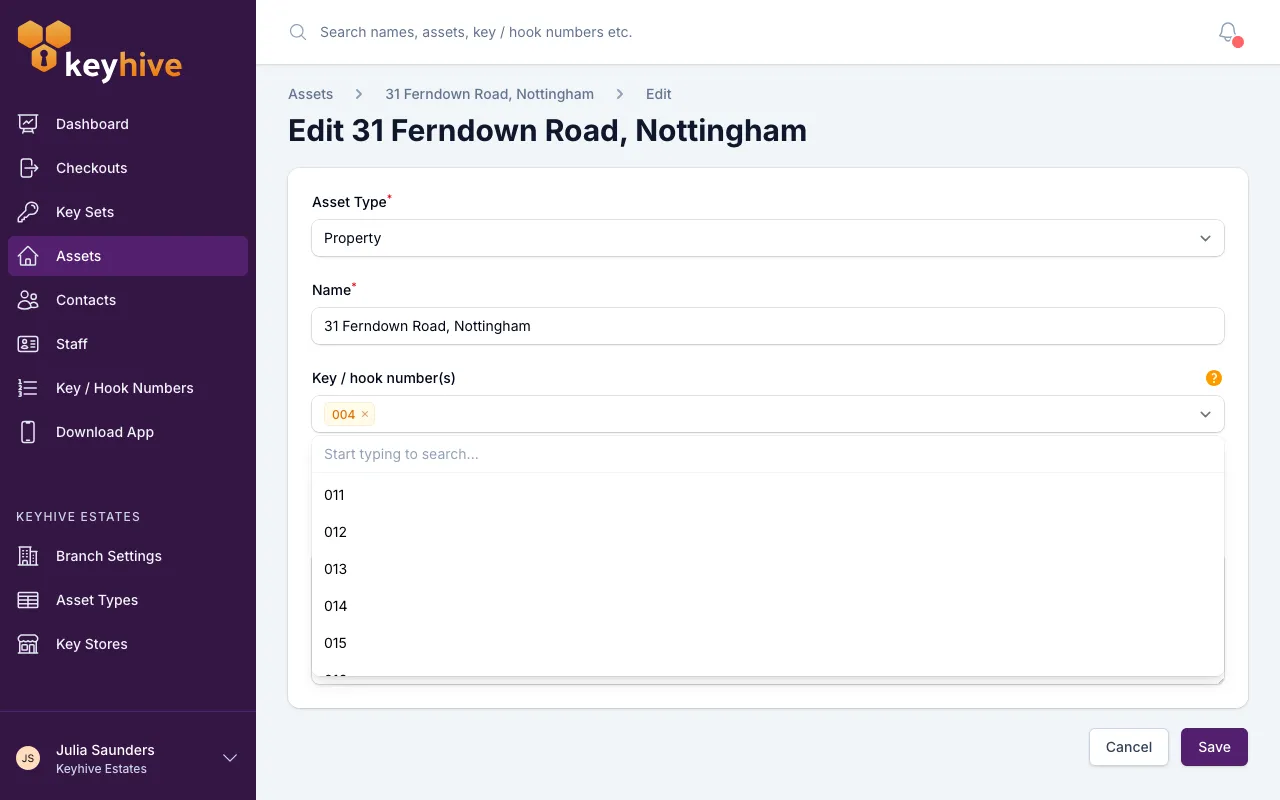
Find Key / hook number(s). Start typing to search, and pick the number you want. You can pick more than one, which is useful when an asset has enough key sets to spill onto a second hook.
-
Click Save.
The asset’s key sets can now be given that number. To take a number away from the asset, remove it from the same field and save, but note that any key sets sitting on it lose it too, so they’ll need a number of their own.
You can do the same thing while you’re creating an asset: the Key / hook number(s) field is on the create form as well, so a new asset can arrive with its hook already recorded.
From the Key / Hook Numbers page
If you’re working through your list of hooks rather than through your assets, you can go the other way round.
- Click Key / Hook Numbers in the sidebar and find the number.
- Click Edit on its row.
- Choose the asset in Associated asset. Search by name or description.
- Click Save.
Unlike the asset form, this dropdown lists every asset, including ones that already have a number. Moving a number that’s in use hands the hook to the new asset and unassigns the old asset’s key sets from it, so those keys will need a number of their own.
From a key set
Assigning a number to a key set will also assign it to that key set’s asset, so you can do both in one go.
-
Open the key set, click the ⋮ menu next to its name, and choose Edit.
-
Find the Key / hook number section. The dropdown is in two groups: Currently associated to asset (numbers this asset already has) and Available key / hook numbers, the free ones.
-
Pick a number and click Save.
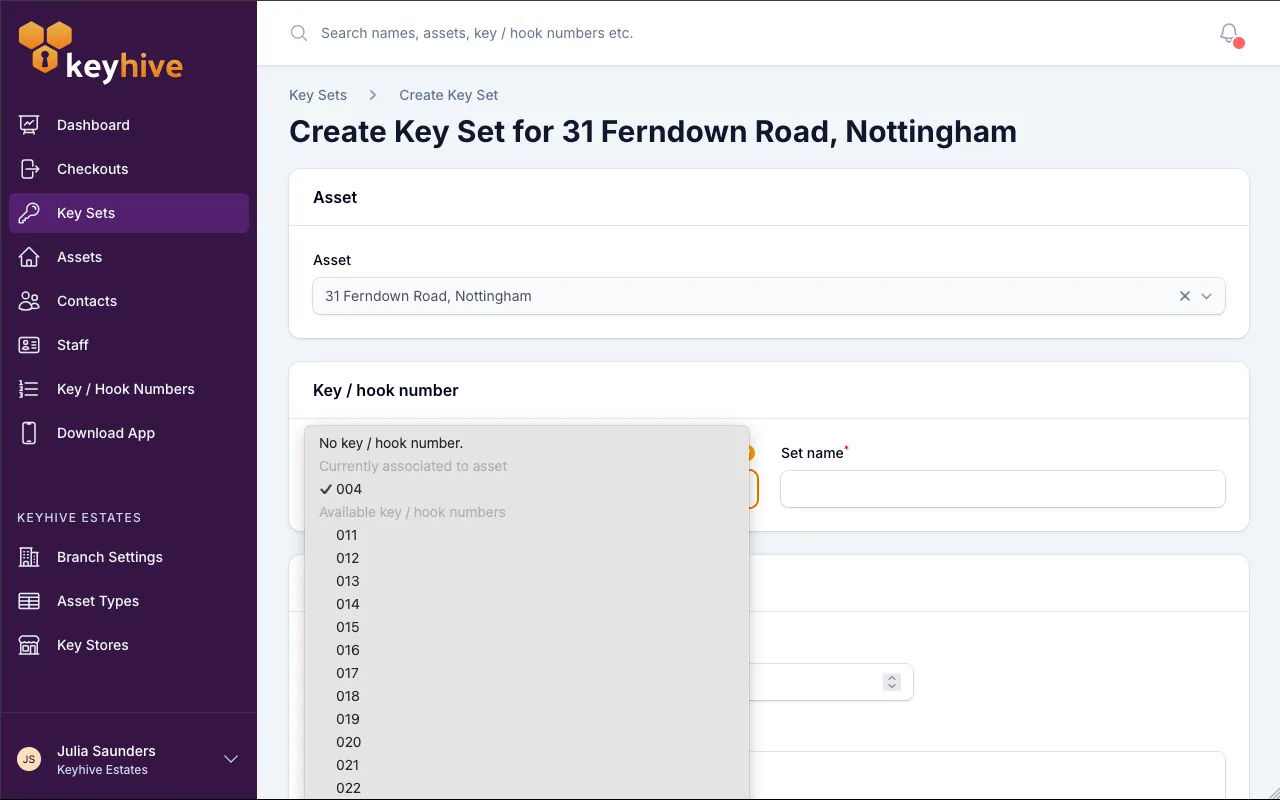
Picking one from Available attaches it to the asset at the same time, so there’s no need to edit the asset separately afterwards.
When you create a key set for an asset that already has a number, Keyhive fills this in for you, so most of the time you can leave it as it is.
If the number isn’t in the list
The picker on an asset shows the free numbers plus the ones that asset already has. If the one you want is missing, it’s one of two things:
- It hasn’t been added to Keyhive yet. Create it.
- Another asset is using it. Check which on the In use tab of the Key / Hook Numbers page, then either free it up or pick a different hook. How to view available key / hook numbers shows you what’s free.
Good to know
- A number belongs to one asset at a time. Two assets can’t share a hook, so if their keys currently hang together, give the second one its own.
- Assigning a number doesn’t move any keys. Nothing changes about checking keys out or returning them. The number tells people where the keys live.
- The number shows up in the key set’s name. A key set for hook 52 with the set identifier A reads as “52A”. See Understanding key / hook numbers.
- Archiving the asset frees its numbers. They return to Available on their own, ready for whatever comes next.
- A key set being out doesn’t free its number. The keys are with someone, but the hook still belongs to that asset.
- Assigning them one at a time is slow for a whole board. If you have a lot to set up at once, see How to bulk assign key / hook numbers to assets.