

Changing the default checkout lengths
In short: Your default checkout lengths decide the return date Keyhive suggests when a key goes out. You set two, one for staff, one for contacts, in the web portal, under Branch Settings.
When you’d do this: When the suggested return date keeps needing changing. If your team almost always has keys back the same day but Keyhive suggests a week, set the staff default to 1 day and stop correcting it every time.
Before you start
Changing these settings is a manager task. If you don’t see Branch Settings in the menu, you’ll need someone with manager access to make the change.
Changing the defaults
-
Open Branch Settings. In the web portal, look in the left-hand menu for the section headed with your branch name: Branch Settings is the first item.
-
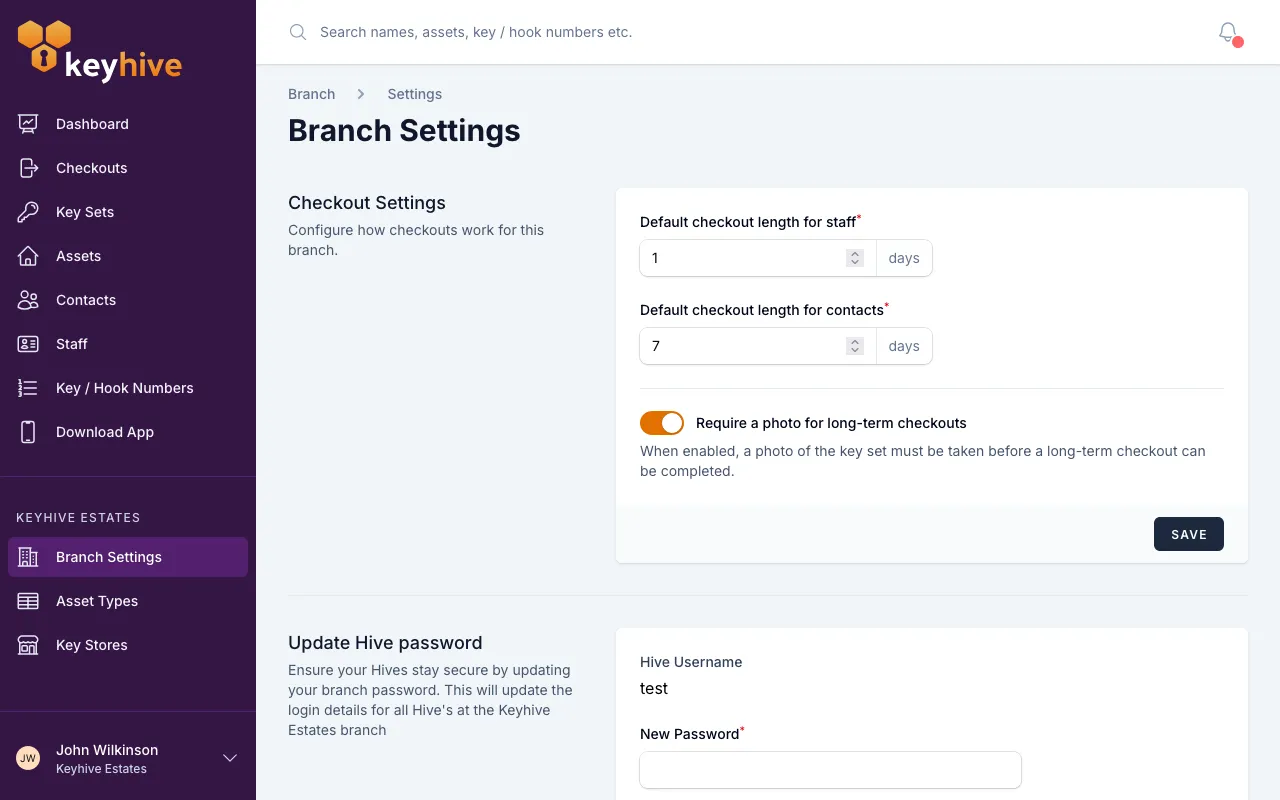
Find the Checkout Settings panel. It’s at the top of the page.
-
Set your two lengths, in whole days:
- Default checkout length for staff: for keys going out to your own team.
- Default checkout length for contacts: for keys going out to anyone external.
Each can be anything from 1 to 365 days. Out of the box, staff is 1 day and contacts is 7 days.
-
Click Save. The change takes effect on the next checkout, everywhere.
What this changes
The lengths are a suggestion, not a limit. Whoever hands the keys over can always pick a different date.
- On the Hive and the mobile app: when someone chooses a short-term checkout, the return date is already filled in: today, plus your default for that kind of person. Most of the time that means tapping straight past it.
- In the web portal: the Return due date on the Check out key set form is filled in the same way, and lands at 6pm on that day. It updates as soon as you choose who the keys are going to, so picking a contact after a staff member moves the date to match.
Which of the two defaults applies comes down to who’s taking the keys: a staff member gets the staff length, anyone else gets the contact length.
Good to know
- Nothing already out is affected. Changing a default never moves the return date on a checkout that’s already open. If you need to shift one of those, see How to change a checkout’s return date.
- Long-term checkouts ignore these settings entirely: they have no return date at all, so there’s nothing to suggest.
- Pick the length you use most, not the longest you allow. The point is to make the common case a single tap. A default that’s too generous also means keys sit out longer before they show as overdue.
- The same panel holds the long-term photo setting. Require a photo for long-term checkouts lives just below the two lengths. See Adding photos on checkouts and returns.