

Understanding key stores
In short: Key stores are the locations keys can be checked out from, returned to, and held at: an office, a safe, a vehicle, a cabin. A key set that isn’t out with someone is always sitting in one, so Keyhive can tell you not just who has a key but where it is.
When it matters: Your keys genuinely move between separate holding areas, and each of those areas is somewhere keys go out from in their own right.
Key stores aren’t switched on for every account. They’re for businesses that really do keep keys in more than one place. Most accounts keep everything in one place and don’t need them. If you don’t see Key Stores in the menu, they’re not turned on for you, and nothing else in Keyhive works differently. Get in touch if you think you need them.
What they’re for
Key stores earn their place when keys are handed out from more than one location. Two situations where that’s true:
- Keys held across several places. A keyholding business might keep some sets in an office safe and others in a vehicle that works a patch all day. Keys go out from the van as readily as they go out from the office, and they move between the two.
- One business, two offices. Where two offices share everything, including the same assets, the same contacts and the same key sets, they’re better off as a single account with a store for each office than as two separate accounts. Everyone sees the same records, and the store tells you which office a key is actually sitting in.
What both have in common is that “it’s back with us” isn’t a precise enough answer. Knowing a key isn’t checked out doesn’t tell you which safe, which van, or which office to walk to. The store is that answer.
How it fits together
A key set is always in one of two situations:
- At rest, in a store. Nobody has it. It’s available, ready to go out, and Keyhive knows which store it’s sitting in.
- Out with someone. It’s checked out to a person, so it isn’t in a store while they have it.
A return moves it from the second back to the first, which is why every return has to land in a store. When you have more than one, you’re asked which.
So a store is a key’s base: the place it’s checked out from, and the place it comes back to.
Stores are places, not people
You never check a key out to a store. Checking out records that a person has taken the keys and is responsible for them, so stores don’t appear in the list when you’re choosing who’s taking a key.
Moving a key set from one store to another is a transfer instead. A transfer hands the keys to nobody. The key set stays available, just available somewhere else. It’s recorded in the key set’s history, so you can see when it moved and where to.
See How to transfer a key to another key store, or How to manage key stores to add one.
Good to know
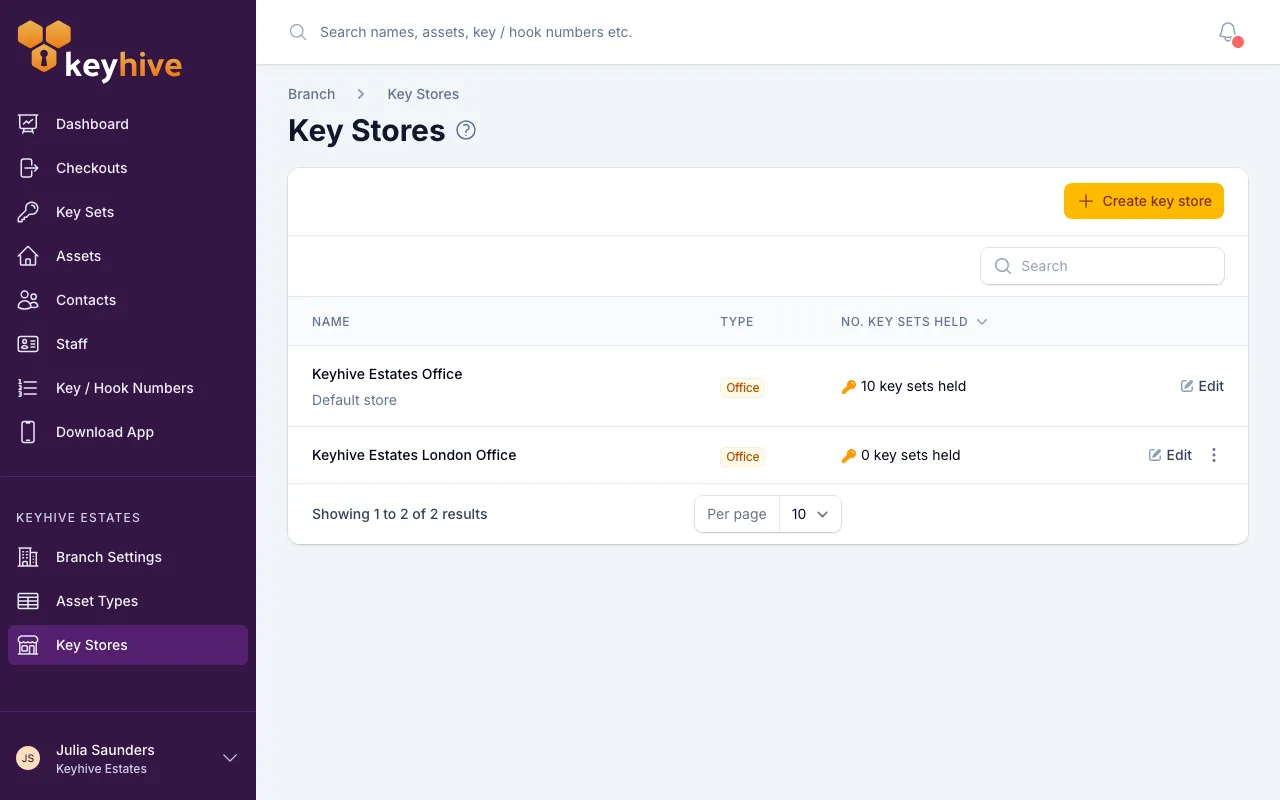
- You start with one. Every account has a default store, named after your location, and it’s used automatically. Add others as you need them.
- Each store has a type: office, safe, vehicle or other. It’s a label to keep the list readable; nothing behaves differently because of it.
- A store tells you how many key sets it holds, a quick check that a van or a safe holds what you think it does.
- Transfers are for keys at rest. A key that’s out with someone comes back through a normal return, not a transfer.
- Your default store can’t be deleted. Neither can a store that still holds key sets. Move its keys elsewhere first, and then it can go. See How to manage key stores.